Starting a Successful Blog For Seniors
This Guide gives Seniors complete instructions on starting a successful Blog for Seniors in Canada. Many Seniors are looking for a hobby a way to express themselves or a way to supplement their income. A Blog is a great way to do it.
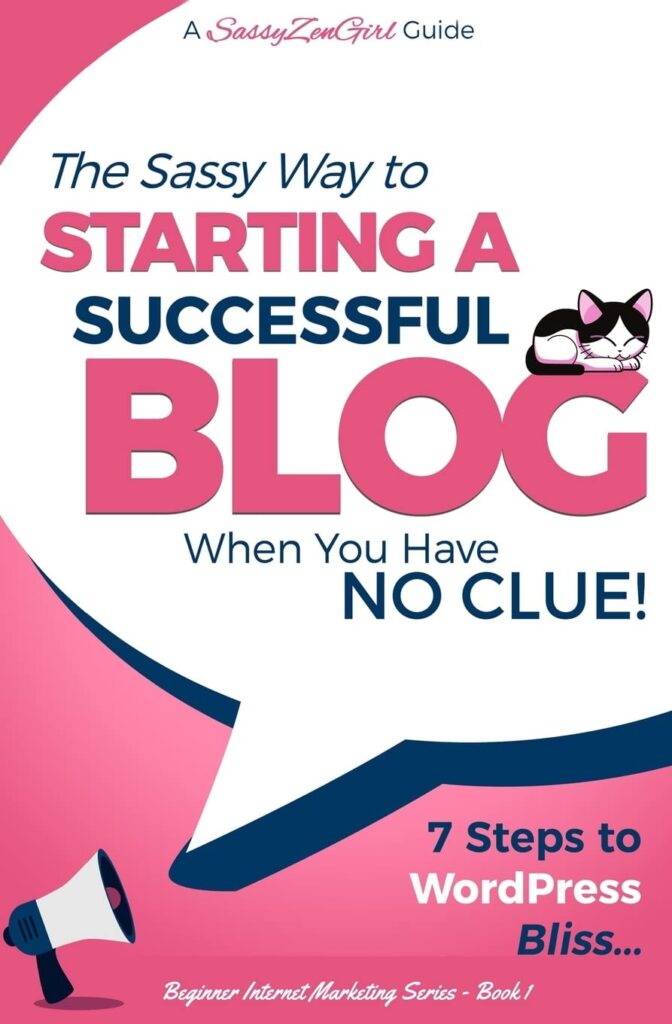
7 Steps to WordPress Bliss
” by G. Gabrielle and A SassyZenGirl Guide show it’s doable. This book, with its 4.1-star rating from 945 readers, breaks down the basics in a fun way. It proves you don’t need a degree in coding to win. Here, we’ll walk through seven clear steps. You’ll go from zero knowledge to a thriving site that draws readers. No fluff, just real paths to bliss.
Success starts before you touch a keyboard. Pick the wrong focus, and your blog fizzles fast. Clarity here builds everything else.
The Foundation: Nailing Your Niche and Purpose
Identifying Your Passion Intersection: What Can You Talk About Forever?
Find where your loves meet what you know and what pays. Picture a Venn diagram. One circle holds passions, like cooking quick meals if you hate wasting time in the kitchen. Another covers skills, say your knack for simple recipes from years of trial and error. The third eyes money makers, such as health food trends that brands sponsor.
This spot keeps you going when motivation dips. Try this: Grab paper. List ten topics that light you up. Jot why each excites you. Cross off ones that bore you after five minutes. For example, if gardening thrills you and you spot rising interest in urban farms, that’s gold. Books like the one by G. Gabrielle stress this match to avoid burnout.
Validating Your Idea: Is There an Audience Waiting?
Don’t guess if folks care. Quick checks save time. Use Google Trends to see if searches for your topic rise or fall. Type in “easy vegan recipes” and watch spikes around New Year’s.
Basic keyword tools like Ubersuggest show search volume. Aim for topics with 1,000 to 10,000 monthly hits but low competition. If “budget travel hacks for families” pulls steady interest, you’ve got a winner. Chat with friends or scan Reddit threads too. Real talk reveals if people hunger for your angle. This step weeds out dead ends early.
Defining Your Unique Value Proposition (UVP) – Why You?
What sets you apart in a crowded field? Established blogs dominate, but gaps exist. Your voice as a busy mom sharing real parenting fails might fill one. Or your tech-free fitness tips for seniors.
Ask: What story only I can tell? Craft a short UVP sentence. “Helping new dads build home gyms without breaking the bank.” It guides every post. Spot competitors via Google searches. See what they skip, then own it. This makes readers pick you over noise.
Technical Taming: WordPress Setup Simplified
WordPress scares newbies, but it’s friendlier than you think. Self-hosted WordPress.org gives control, unlike the limited WordPress.com. Let’s tame it step by step.
Domain Name Selection and Web Hosting: Your Digital Address
Your domain is your blog’s front door. Pick something short, memorable, and tied to your niche. For a baking blog, try freshcookieideas.com over longwindedbakingtips.net.
Check availability on sites like Namecheap. Go for .com if possible. Now hosting: Shared plans from Bluehost or SiteGround suit beginners at $3-5 monthly. They handle basics without overwhelm. Managed hosting adds extras like auto-updates for a bit more cash. Start simple. Sign up, link your domain, and you’re set. This duo costs under $50 year one.
Installing WordPress in Under 15 Minutes (The One-Click Wonder)
Most hosts make it a breeze. Log into cPanel after signup. Find Softaculous or the WordPress installer. Click “install,” pick your domain, set an admin username (not “admin” for safety), and add a strong password.
It uploads in seconds. No manual file tweaks needed. If stuck, hosts offer chat support. Boom—your dashboard appears. Guides from WordPress setup basics echo this ease for 2026 users. Test by logging in. You’ve conquered the big hurdle.
Essential Initial Settings Configuration for Security and SEO
Head to Settings in your dashboard. Under Permalinks, switch to “Post name” for clean URLs like yoursite.com/first-post. This boosts SEO from day one.
Edit General: Set site title to your blog name, tagline to your UVP. Go to Reading, uncheck “discourage search engines” so Google can index you. For security, install a free SSL certificate via your host—it’s like a lock on your site. These tweaks take ten minutes but shield you long-term. Skip them, and you risk hacks or invisibility.
The Visual Launch: Themes and Essential Plugins. Looks matter, but function wins. Keep it fast and clean for mobile users, who make up 60% of traffic.
Selecting the Right Theme: Speed Over Style
Flashy themes slow sites, hurting rankings. Choose lightweight ones like Astra or GeneratePress. They’re free, customizable, and load in under two seconds.
Install via Appearance > Themes > Add New. Search, activate, then tweak colors and fonts in the customizer. Avoid bloated options with too many bells. Test speed on Google PageSpeed Insights. A zippy theme keeps readers hooked. Prioritize this over perfection.
The Plugin Powerhouse: Must-Have Tools for New Bloggers
Plugins add superpowers without code. Start with four essentials.
- Security: Wordfence free scans for threats and blocks bad bots.
- SEO: Yoast helps optimize posts with keyword tips.
- Caching: WP Super Cache speeds pages by storing copies.
- Forms: Contact Form 7 lets visitors reach you easily.
Install from Plugins > Add New. Activate, then configure basics. Don’t overload—too many slow things down. These handle 80% of newbie needs.
Crafting Essential Pages: Establishing Trust (About, Contact, Privacy)
Before posts, build trust pages. About tells your story: Who you are, why this blog. Keep it warm, like “I’m Sarah, a teacher sharing math tricks for kids.”
Contact uses your plugin form. Add email or a simple map. Privacy Policy covers data use—grab a free generator online and tweak it. These pages scream legit. Link them in your menu. Readers trust sites that feel real from the start.
Content Creation That Connects (Not Just Compiles)
Setup done, now feed the beast. Good content builds loyalty, not just piles words.
Mastering the Blog Post Structure: Readability is King
People scan, not read walls of text. Use short paragraphs, three to five lines max. Break with H2 and H3 subheads.
Add bullets for lists, numbers for steps. Like this recipe guide: Intro hook, ingredients list, then steps. End with a call to try it. Write like you chat with a friend. Tools like Hemingway App check readability. Aim for that eighth-grade sweet spot. Scanners stay; readers return.
Basic On-Page SEO for Beginners: Making Google Happy
Keywords aren’t magic, but smart use helps. Pick one main term per post, like “starting a WordPress blog for beginners.”
Put it in the title, first paragraph, and a subhead. Craft a meta description under 160 characters with the keyword. Yoast guides you. Sprinkle related terms: blog setup tips, easy WordPress install. Avoid stuffing—flow matters. This nudges Google to show your post.
Developing a Content Calendar: Consistency Over Cramming
Post weekly to build habits. Batch write: Sundays for ideas, Tuesdays for drafts.
Sample four-week plan:
- Week 1: Niche deep dive post.
- Week 2: Beginner tip list.
- Week 3: Personal story share.
- Week 4: Q&A roundup.
Use Google Sheets or Trello. Track topics tied to trends. Consistency beats bursts—readers expect you. Adjust as life hits, but show up.
Traffic Igniter: Getting Your First Visitors
Site live? Time to draw eyes. Organic growth takes patience, but starts now.
Utilizing Social Channels Strategically (Don’t Be Everywhere)
Pick one or two spots your crowd hangs. Food bloggers thrive on Instagram; tech folks on Twitter.
Share post snippets: A photo with teaser text. Pin top posts. Engage replies, not just broadcast. Tailor: Short videos for TikTok if young audience. Avoid spreading thin. For deeper strategies, check blog growth tactics. Build there first.
Connecting with Search Engines: Google Search Console Setup
Verify your site in Google Search Console—free tool. Submit your sitemap (Yoast generates it at yoursite.com/sitemap.xml).
It tracks indexing and errors. Fix issues like broken links quick. Watch search queries to refine content. This opens the organic tap. Takes 15 minutes, pays forever.
The Power of Networking: Engaging in Relevant Communities
Join niche spots like Facebook groups or Reddit subs. Comment with value: “I tried that recipe—added nuts for crunch!”
Share insights, not links at first. Build rapport. Over time, folks visit your blog naturally. Host a small giveaway in the group. Genuine chats spark shares. It’s slow but sticks.
Monetization Mindset: Planting Seeds for Profit
Money comes later, but plan early. Focus on value first.
Understanding Passive vs. Active Income Streams
Passive means ads or affiliates earn while you sleep. Google AdSense pays per view once approved.
Active involves coaching or ebooks—direct effort for cash. Start passive to test waters. Mix both as you grow. Track with simple spreadsheets.
The Affiliate Link Introduction: Recommending What You Already Use
Suggest products you love, like that blender in recipes. Join Amazon Associates or ShareASale.
Disclose always: “This post has affiliate links.” Link naturally in text. Earn commissions on sales. Start small—pick three programs. Ethics keep trust high.
Building Your Email List from Day One (The Most Valuable Asset)
Emails beat social follows—they’re yours. Offer a freebie: “10 Blog Starter Checklists” via signup.
Use Mailchimp free tier. Add a popup on your site. Nurture with weekly tips. Lists convert 40 times better than posts. It’s your profit lifeline.
Conclusion: From Zero Knowledge to Ongoing Momentum
You’ve mapped the seven steps: Nail your niche, set up WordPress, launch visuals, create connecting content, ignite traffic, plant monetization seeds, and keep learning. Starting a successful WordPress blog isn’t a sprint. It’s iteration—tweak what works, drop what doesn’t. That “no clue” feeling fades with each post. Continuous tweaks, like checking analytics weekly, fuel growth. Perfection? Skip it. Momentum wins.