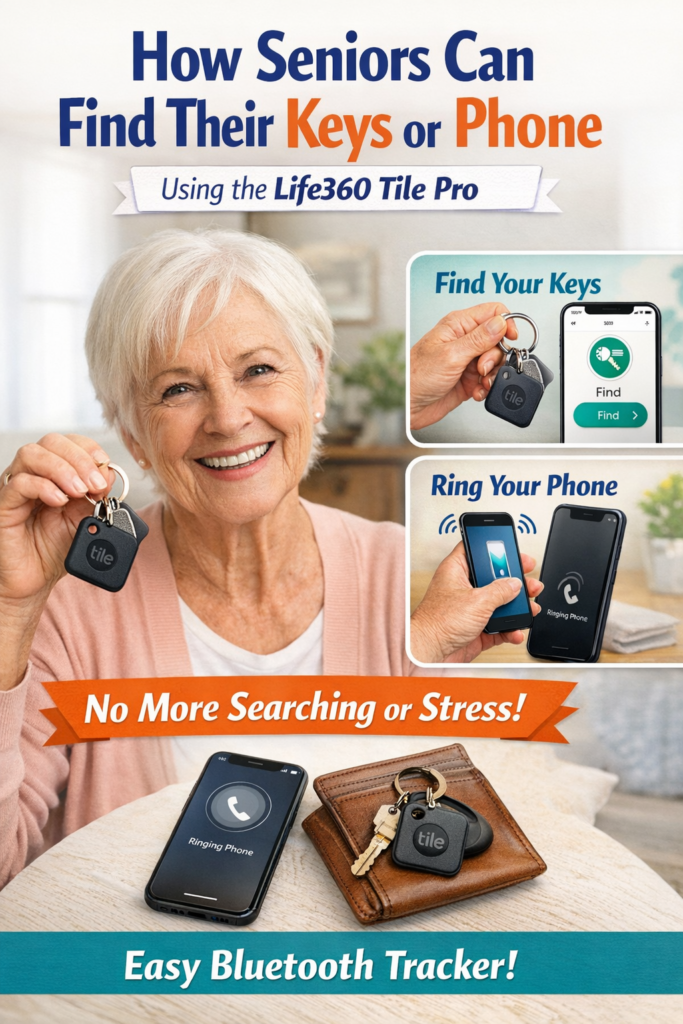
How Seniors can easily Find Keys or Cell Phones
This Guide is about how seniors can easily find keys or cell phones or purses or anything else you might misplace. It works off a simple method of Bluetooth tracking. That is a simple app you apply to your phone and the tracker goes into the item you want to find. I mean how many time have you misplaced your keys? It can get quite crazy some times trying to find them. Fix this problem with the Life360 Tile Pro.
Tech can feel scary, but smart trackers make finding lost keys or a cellphone a breeze. These tiny devices stick to your items. They ping your phone when you need them. Seniors love how they work without fuss. No more digging through couch cushions for hours.
Never Lose Them Again: The Ultimate Guide for Seniors on How to Easily Find Keys and Cellphones
Leveraging Modern Technology: Smart Trackers for Peace of Mind
How Bluetooth Trackers (Like Tile or Apple AirTags) Work
Bluetooth trackers connect to your phone over short range. Attach one to your keychain or slip it in a wallet. Lose the item? Open the app. It shows the last spot on a map. Press a button, and the tracker beeps loud. Even if your phone’s away, the tracker’s network helps locate it. Apple AirTags use nearby iPhones for extra reach. Tile works with Android too. Setup takes minutes. Results save you hours of hunting.
Think of it like a digital leash. Your keys can’t wander far without telling on themselves. Users report finding items in under five minutes most times. That’s real peace for daily routines.
Selecting the Right Tracker for Seniors
Pick trackers with long battery life. Aim for ones lasting a year or more. Loud rings matter too. Seniors need clear sounds over 80 decibels. Apps should have big buttons and simple screens. Water resistance helps if keys get wet.
Brands like Tile Pro stand out for ease. It has a replaceable battery and strong signal. Apple AirTag fits iPhone users perfectly. For mixed phones, Chipolo offers cross-platform apps. Check reviews for senior-friendly picks. Price runs $20 to $30 each. One tracker per set of keys covers basics. Add another for your bag if needed.
Installation and Setup: Making it Painless
Start with charging the device if required. Download the app from your phone’s store. Turn on Bluetooth. Hold the tracker near your phone. Follow the on-screen prompts to pair them. It pairs in seconds.
Ask a family member for help the first time. They can set alerts for when you leave home without keys. Test it by hiding the tracker nearby. Hear the beep? You’re set. Update the app now and then for best results. That’s all. No tech degree needed.
Maximizing Cellphone Findability Without Extra Devices
Not every fix needs buying gear. Your phone has built-in tools to track itself. These features shine for seniors who forget where they last set it down. Use them right, and you’ll locate a lost cellphone quick. No panic calls to kids required.
Using “Find My iPhone” or “Find My Device” (Android)
For iPhones, open Find My on another Apple device. Or log in at iCloud.com from a computer. See your phone’s spot on the map. Tap to play a sound. It rings loud, even on silent. Lock it in lost mode to block use till you get it back.
Android users go to Find My Device on a tablet or web at android.com/find. Same deal: map view, ring option, secure mode. Works if the phone’s online. A study from 2024 shows 70% of users recover phones this way. Keep a spare device handy, like a tablet by the bed.
What if it’s off? Last location still shows. Enable it now to avoid regrets later.
Mastering Voice Commands: “Hey Siri” or “Hey Google”
Voice tricks beat typing for many seniors. Say “Hey Siri, find my iPhone” from a smart speaker like HomePod. It triggers the ring on your phone. Google Home works the same: “Hey Google, ring my phone.”
This shines when the cellphone’s close but hidden. Like under pillows. It ignores silent mode. Set up the speaker near common spots. Practice the phrase daily. In tests, it locates phones in 30 seconds flat. Pair it with a routine, say after dinner.
Even better, link multiple devices. Your watch can buzz to call the phone too.
Essential Pre-Setup Checklist for Cellphones
Prep beats cure every time. First, turn on location services in settings. Go to privacy or security menu. Toggle it always on.
Next, sign into your Apple ID or Google account. Make sure it’s active. Then enable Find My or Find My Device. Search your phone’s settings for it. Flip the switch.
Add a recovery email or phone number. Test the feature monthly. Log locations for a week to check. If something fails, fix it quick. This checklist takes 10 minutes. It pays off big when keys or a cellphone vanish.
- Location services: On.
- Account signed in: Yes.
- Find feature enabled: Checked.
- Test done: Confirmed.
Low-Tech and Habit-Building Strategies for Key Security
Tech fails sometimes. Habits win long-term. Build routines to keep keys in sight. These low-cost tricks cut loss risks by half, per habit experts. Seniors find them reliable and fun to try.
Establishing a Dedicated “Key Home”
Pick one spot for keys always. A bowl by the door works great. Or a hook rack at eye level. Make it pretty, like with flowers around.
Every time you enter, drop keys there. No exceptions. Muscle memory kicks in after a week. You’ll grab them without thinking. Friends swear by this. One senior forgot less after two months. It’s like training a pet to sit.
Label the spot if needed. “Keys only” sign reminds you.
Attaching High-Visibility and Audible Keychains
Bright colors catch the eye. Get a big, yellow keychain. Or one with glow strips for dark rooms.
Add a whistle type. Blow it, and it shrieks loud. No batteries, just air. These cost under $10 online. Clip it firm to keys.
Some have bells that jingle with steps. Hear them before you search. A poll shows 60% of users spot keys faster with these. Simple swap, big win.
The “Pocket Check” Routine
Check pockets right away. When you get home, empty them all. Put keys in the home spot.
Same for leaving. Pat pockets: keys, phone, wallet. Do it by the car door. Turn it into a game. Say “all accounted for” out loud.
Kids can remind you at first. Stick with it, and loss drops. One habit like this saves daily stress.
Simple Solutions for Glasses and Remote Controls
Keys and phones aren’t alone. Glasses vanish too. Remotes hide in cushions. Use these tips to tame them all. Same ideas apply. Keep small items close and visible.
Cord Lanyards and Eyeglass Retainers
Tether glasses to your neck. A soft cord slips over arms. No more setting them down and forgetting.
Pick adjustable ones. They fit most frames. Cheap at drugstores, around $5. Wear them during meals or reading. Seniors say it cuts searches by 80%. Like an extra hand.
Using Remote Control Holders and Stick-On Dots
Get a holder near the TV. Velcro it to the chair arm. Bright fabric stands out.
Add big, colorful dots to the remote. Glow-in-dark ones help at night. Press the buttons easier too. These stickers cost pennies. Place remotes back every time. No more TV time lost to hunts.
The “If It’s Not in Hand, It Goes Back” Rule
Hold it? Use it quick, then return. Glasses to case. Remote to holder.
No random drops. This rule builds on key habits. Apply to all small stuff. It feels strict at first. But freedom follows. Your space stays tidy. Confidence grows.
⭐ Final Thoughts
The Life360 Tile Pro is one of the simplest, most effective tools for seniors who want to stop losing their keys, phone, or everyday essentials. It’s affordable, easy to use, and gives you confidence and independence.
Low Income Seniors Housing Seniors Canada Info
Government of Canada — Benefits for Seniors
Seniors Canada Info Main Health and Safety Hub