How to Apply for CPP OAS and GIS (Step‑by‑Step Guide for 2026)
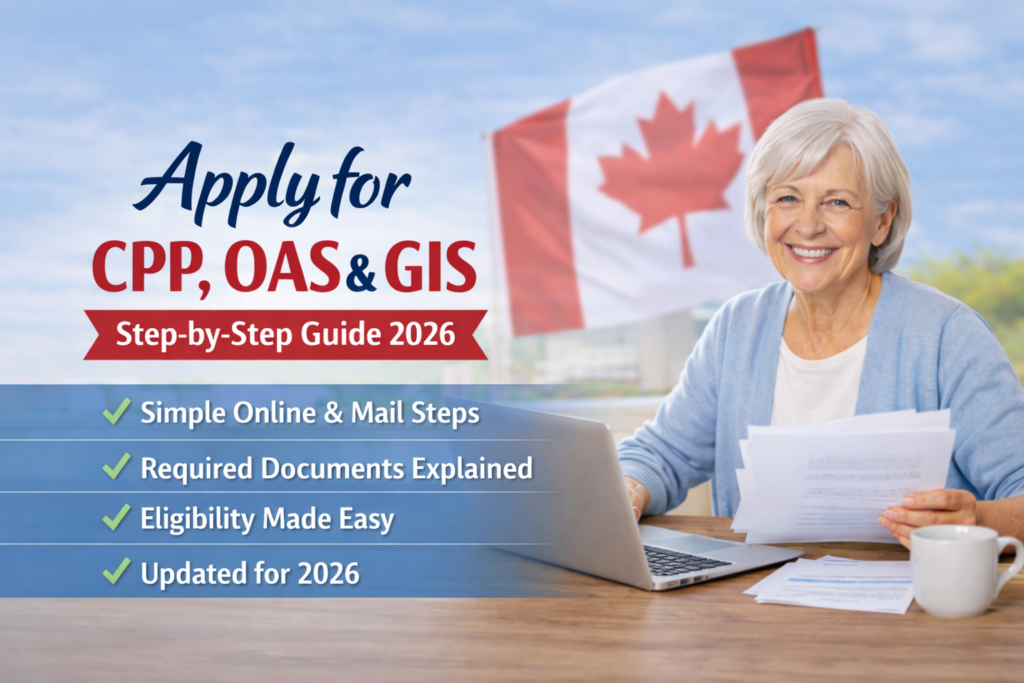
When Seniors in Canada retire many of them don’t know how to apply for their government pensions. This simple easy to understand guide will show how to apply for CPP OAS and GIS. You will learn who is eligible, what ages to apply for the best income potential and much more. Acting early is the smartest way to avoid processing delays. These programs offer a safety net, but each comes with its own set of rules. Applying for CPP, OAS, and GIS means knowing which boxes you tick and which forms to fill out. Here’s a look at the requirements and steps to help you claim your benefits.
Understanding CPP, OAS, and GIS Eligibility in 2026
Before you start an application, you need to know which programs apply to your situation. These three benefits serve different groups, though they often work together to support seniors.
Canadian Pension Plan (CPP) Eligibility
The CPP is a contributory program. You earn it by working in Canada and making contributions from your paychecks. If you worked at least once in your life and paid into the system, you likely qualify. You can start taking these benefits as early as age 60, but waiting until age 65 or 70 increases your monthly payout. Your exact benefit amount depends on how much you contributed over your career and how long you worked.
Old Age Security (OAS) Eligibility
Unlike the CPP, the OAS is not based on your work history. Instead, it is based on your residency in Canada. To qualify at age 65, you must be a Canadian citizen or a legal resident. You also need to have lived in Canada for at least 10 years after turning 18. If you lived outside Canada for a long time, the rules change slightly. You can defer your OAS payments up to age 70 to get a higher monthly amount.
Guaranteed Income Supplement (GIS) Eligibility
The GIS is a tax-free monthly payment for low-income seniors who already receive the OAS. It is an income-tested benefit. The government looks at your annual income to decide how much you get. If your income exceeds a certain threshold, your eligibility drops to zero. Because it relies on your tax filings, you must submit your taxes every year to remain eligible.
Preparing Your Application: Gathering Essential Documents
Below you will find a list of the documents and information needed before you apply. Make sure you have the appropriate papers handy for easy reference. This will make the application process much easier and the approval much quicker.
Personal Identification and Information
You need to prove who you are. Keep these documents within reach:
- Your Social Insurance Number (SIN).
- A valid birth certificate or proof of citizenship/immigration status.
- Banking information for direct deposit.
- Your current address and contact details.
Employment and Contribution Records (for CPP)
You need to know your contribution history. You can log into your “My Service Canada Account” to download your “Statement of Contributions.” This document shows exactly what you paid into the CPP. If you spot a missing year of work or an incorrect amount, gather your old T4 slips. You will need to provide proof of those missing earnings to correct the record before your benefit calculation is finalized.
Income Verification (for GIS)
Service Canada typically pulls your income data directly from the Canada Revenue Agency (CRA). However, keep copies of your recent tax returns on hand. If you had a major change in income, such as retirement, you might need to show proof of that change. Having your last two T4 slips and any pension statements ready can save you a headache if the system needs manual verification.
Step-by-Step Application Process for CPP and OAS
You can manage most of your application online. This is the fastest way to get your benefits flowing.
Applying for CPP Retirement Pension
- Log into your My Service Canada Account.
- Select the “CPP Retirement Pension” option.
- Choose your start date.
- Fill in your banking details for direct deposit.
- Review the information and hit submit.
If you prefer paper, you can download the application form from the official government website. Print it, fill it out by hand, and mail it to your nearest Service Canada office. This method takes longer than the digital route.
Applying for OAS Pension
The OAS process is similar to the CPP. Many people get a letter from the government stating that they are enrolled automatically. If you do not get this letter by the month after your 64th birthday, you must apply yourself. Use the same online portal as you did for the CPP. If you have any gaps in your residency, you might need to fill out additional forms to verify the years you spent living in Canada.
Applying for the Allowance and Allowance for the Survivor
If you are between 60 and 64 and your spouse or common-law partner is eligible for OAS and GIS, you might qualify for the Allowance. If your spouse has passed away and you have not remarried, you might qualify for the Allowance for the Survivor. These are separate applications. They focus on total household income. You must apply for these manually using the forms available on the Service Canada website.
Applying for the Guaranteed Income Supplement (GIS)
The GIS is unique because it requires constant maintenance through your tax returns.
How GIS is Automatically Assessed
For most people, the GIS process is automatic. When you file your taxes each year, the CRA shares your income data with Service Canada. If your income falls below the cutoff, the government calculates your GIS and adds it to your OAS payment. This is why filing your taxes on time every single year is mandatory. If you miss a tax filing, your GIS payments will stop.
When to Manually Apply for GIS
You must apply manually if you are new to the system or if the government does not have your income info. Use form ISP-3025. This happens if you move to Canada, if your spouse passes away, or if you had a significant drop in income that the CRA hasn’t processed yet. You can submit this form online or drop it off at a local Service Canada office.
Understanding Your GIS Entitlement
Your GIS amount changes based on your income. If you get a raise or withdraw extra money from an RRSP, your GIS might go down. Always update Service Canada if your marital status or income changes. Getting paid too much in GIS can lead to a “clawback” where the government asks for the money back later.
Navigating Special Circumstances and Common Questions
Sometimes your situation does not fit the standard boxes. Here is how to handle those cases.
Applying from Outside Canada
You can still receive your CPP and OAS if you live abroad. You must have lived in Canada for at least 20 years after age 18 to receive OAS while living outside the country. Your payments will be sent in your local currency. You should apply through the international operation center. The forms are the same, but the mailing address is different.
Changing Your Benefit Start Date
You can choose when to start your CPP and OAS. If you take them at 60, your payments are lower. If you wait until 70, your payments are higher. You cannot change your start date once your first payment is issued, so choose wisely. Run the numbers to see if you need the cash now or if you can afford to wait for a higher monthly check.
What to Do If Your Application is Denied
If your application is denied, do not panic. The government will send a letter explaining why. You have the right to request a “reconsideration.” This means a different officer will review your file. You must request this within 90 days of the decision. Provide new evidence or clear up the errors that caused the initial denial.
Frequently Asked Questions (2026 Edition)
1. When should I apply for CPP, OAS, and GIS?
Apply for CPP between ages 60–70, OAS at 65, and GIS once you start OAS. Applying six months early helps avoid delays.
2. Can I apply online or by mail?
Yes. The fastest way is online through your My Service Canada Account. Paper forms are available if you prefer mail.
3. What documents do I need?
You’ll need your SIN, proof of birth or citizenship, banking info, and tax records for GIS.
4. How long does approval take?
Most applications take 6–12 weeks. You’ll receive a letter confirming your benefit amount and start date.
5. Can I receive all three benefits together?
Yes. CPP, OAS, and GIS can be combined. Each has separate eligibility rules, but payments are deposited together.
6. What happens if my income changes?
GIS is income‑tested. If your income rises or falls, update Service Canada immediately to prevent overpayment or missed benefits.
7. What if I live outside Canada?
You can still receive CPP and OAS abroad if you’ve lived in Canada for at least 20 years after age 18. GIS stops when you move permanently outside Canada.
8. What if my application is denied?
You can request a reconsideration within 90 days. Submit new evidence or clarify missing details to Service Canada.
Conclusion
Applying for CPP, OAS, and GIS becomes much easier when you understand the steps, timelines, and documents involved. Most seniors can complete the process online through their My Service Canada Account, while others may prefer mail‑in forms or in‑person help. The key is to apply early, keep your information up to date, and file your taxes every year so your benefits continue without interruption. With a little preparation and the right guidance, older adults can access the income supports they’ve earned and enjoy greater financial stability throughout retirement.